
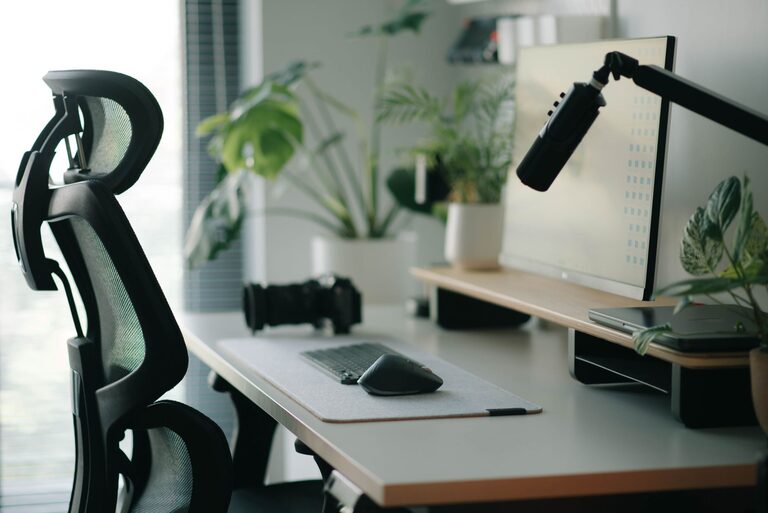
Creating a desk setup that promotes both focus and comfort can transform your workday. Whether you work from home or in an office, having a well-organized and ergonomic workspace can reduce distractions, prevent discomfort, and help you stay productive for longer periods. In this post, we’ll explore practical tips to help you design a desk setup that supports your concentration and comfort.
Why a Good Desk Setup Matters
A thoughtfully arranged desk isn’t just about aesthetics—it directly impacts your efficiency and well-being. Poor posture, cluttered spaces, and inadequate lighting can cause discomfort, fatigue, and distractions. On the other hand, a clean, ergonomic workspace encourages better focus, reduces physical strain, and creates a pleasant atmosphere to work in.
Choosing the Right Desk and Chair
Desk Height and Size
Choosing a desk with the right height is crucial. Ideally, your desk height should allow your elbows to rest comfortably at a 90-degree angle when typing or writing. Standard desk heights range from 28 to 30 inches, but adjustable desks can be a great option to customize your workspace.
Make sure your desk is large enough to hold your essential items, such as your computer, keyboard, mouse, and some space for notes or documents. Avoid overcrowding; a clutter-free surface helps maintain focus.
Ergonomic Chair
Invest in a chair that supports your lower back and encourages good posture. Look for features like adjustable seat height, lumbar support, and a comfortable cushion. Sitting in a good chair reduces the risk of back pain and keeps you focused by minimizing discomfort throughout the day.
Monitor Placement and Screen Setup
The way you position your computer screen affects both your posture and eye comfort.
– Eye Level: Place your monitor so the top of the screen is at or slightly below eye level. This helps you keep your neck in a neutral position.
– Distance: The screen should be about an arm’s length away from you—roughly 20 to 30 inches.
– Angle: Tilt the monitor back slightly (10-20 degrees) to reduce glare and match your natural line of sight.
– Multiple Screens: If you use more than one monitor, position them side-by-side, and align the primary screen directly in front of you.
Lighting for Comfort and Productivity
Good lighting can reduce eye strain and improve your mood.
– Natural Light: Whenever possible, position your desk near a window to benefit from natural light. Avoid placing your screen directly in front of or behind a window to minimize glare.
– Task Lighting: Use a desk lamp with adjustable brightness or color temperature. Soft, warm light can be calming, while bright, cool light can help you stay alert.
– Reduce Glare: Use blinds or curtains to control sunlight. Anti-glare screen protectors can also be helpful.
Organizing Your Desk for Efficiency
A tidy workspace helps reduce distractions and keeps your mind clear.
– Minimal Essentials: Keep only the items you use daily on your desk. Store other supplies in drawers or shelves.
– Use Organizers: Desk trays, pen holders, and cable organizers keep small items in place and prevent clutter.
– Digital Organization: Regularly clean your desktop files and bookmarks to avoid digital clutter that can disrupt your workflow.
Incorporating Comfort Accessories
Adding a few comfort-focused accessories can make your workspace more inviting.
– Keyboard and Mouse: Choose ergonomic models to reduce wrist strain. Consider a wrist rest if you type for long periods.
– Footrest: If your feet don’t comfortably reach the floor, a footrest can improve posture and circulation.
– Plants: Small plants improve air quality and add a calming touch to your space.
– Personal Touches: Photos, artwork, or inspirational quotes can enhance your mood without overwhelming your desk.
Creating a Routine Around Your Space
Your desk setup works best when paired with healthy habits.
– Take Breaks: Stand or stretch every 30-60 minutes to reduce stiffness and refresh your mind.
– Stay Hydrated: Keep a water bottle nearby to remind yourself to drink regularly.
– End-of-Day Ritual: Clear your desk at the end of the day to start fresh tomorrow.
Adjusting Your Setup Over Time
Your ideal desk setup may change as your work needs evolve. Don’t hesitate to adjust your chair, monitor height, or lighting whenever you notice discomfort or distraction. Small tweaks can make a big difference in maintaining comfort and focus.
—
By paying attention to your desk’s ergonomics, organization, and ambiance, you can build a workspace that supports your best work every day. Start small, experiment with what feels right, and enjoy the benefits of a desk setup designed for focus and comfort.
About the Author